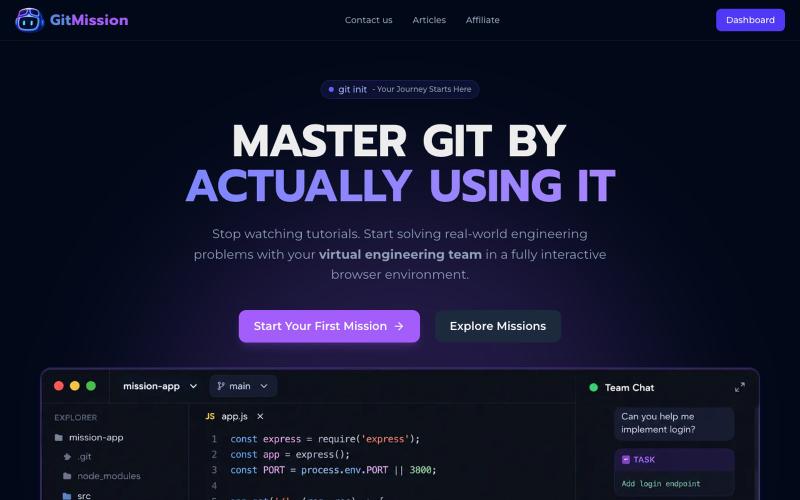
GitMission: Learn Git Through Interactive Missions | Hands-On Git Training
Learn Git through interactive missions with an in-browser terminal and virtual team collaboration.
@0shuvo0 · X
The full gallery
Tech stack
64 projects

Learn Git through interactive missions with an in-browser terminal and virtual team collaboration.
@0shuvo0 · X

Rubber duck debugging chat accessible in-browser or via OpenAI-compatible API.
Antihero5759 · HN
I built a rubber duck chat that you can use through the browser but it's also OpenAI api compatible so you can plugin it in and use it through your favorite ai app. https://bearjcc-quack-language-model.hf.space/

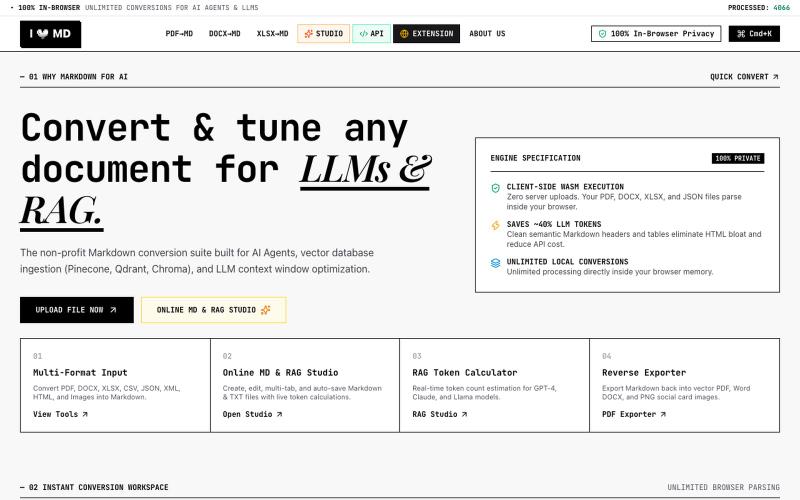
Free in-browser PDF tools for merging, splitting, converting, and editing without uploading files.
u/Key_Caramel_5578 · Reddit
Built a free PDF toolkit solo (with AI help) — need feedback on the in-browser text editor before I keep pushing on it Been heads-down on this for a while: thepdftool.in Standard PDF stuff : merge, split, compress, convert, OCR — but most of the conversion tools run entirely client-side (WASM), so files never leave your browser for those. Built solo, leaned on AI tools for a good chunk of the code and debugging. The feature I care most about right now is an inline text editor :— click i

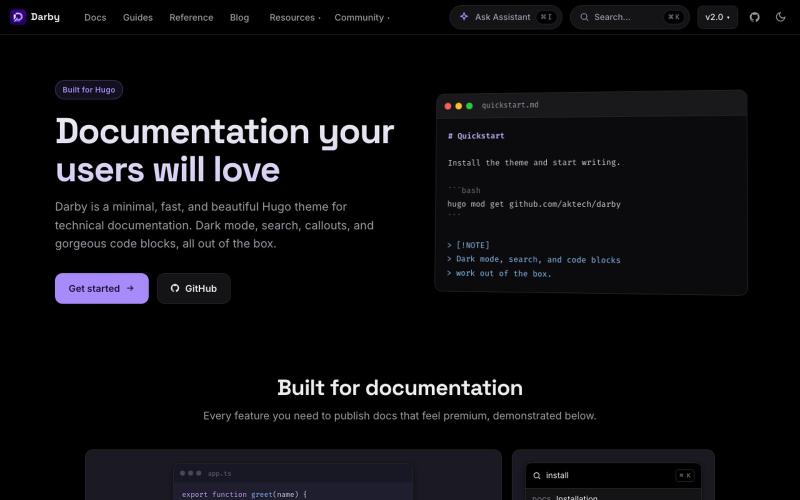
Hugo documentation theme with in-browser AI Q&A, no backend or API keys needed.
aktech · HN
Darby, a Hugo docs theme with in-browser AI Q&A (no back end, no keys)

Free browser tools for image resizing, JSON formatting, PDF processing, text analysis, and design asset creation without login.
musekit · Product Hunt
Free AI Tools Free browser tools for everyday tasks, no login

Open-source design tool for creating graphics in the browser.
@akinkunmi · X
He trash-talked me and my amazing project ( unprovoked while all his projects are vibe-coded slop. That's why I named him King of Slop.

Browser extension that customizes webpages with text prompts for styling, layout, and feature changes.
alentodorov · HN
built it in spring 2026--ready to share today. use opus 4.8 to create css and js snipptes to style the websites you visit the way you want. make nytimes more print-like, hn more matrix, or just replace any mention of AI with the :poop-emoji" -- your call.

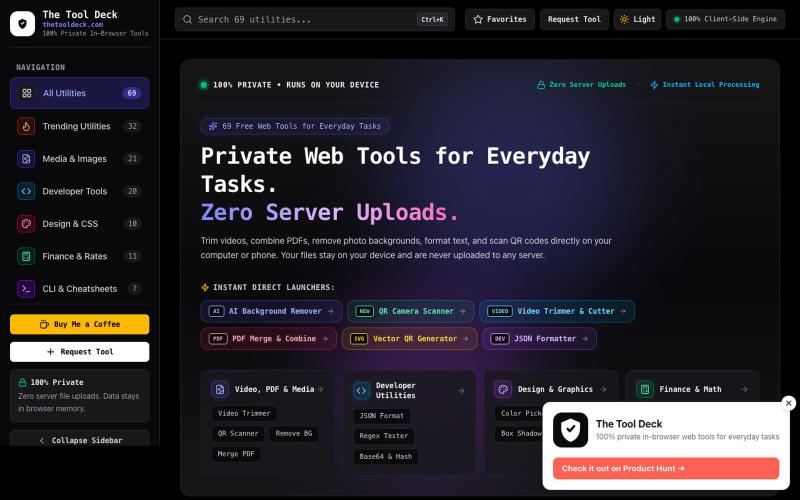
Free tools to convert, compress, and edit files directly in your browser without uploads.
@faisalhaleem · X
Just launched — free browser-based file tools runs entirely in your browser. Video to GIF (with trim slider) Merge / Split / Shrink PDF Your files NEVER leave your device. No sign-up needed. Free forever. #buildinpublic #webdev #indiedev #tools #privacy

110+ free developer tools including JSON formatter, JWT decoder, and regex tester that run entirely in your browser.
@abhilakshharora · X
Just launched DevTab on Product Hunt 🚀 110+ dev tools that run 100% in your browser. Zero server calls. No signup. Free forever. Would love your support 🙏 → #buildinpublic #DevTools

Chrome extension that organizes bookmarks visually on new tabs with workspaces and notes.
@IamYashKapoor · X
Built Tabisto (bookmark manager), a free Chrome extension and launched it in 5 days using Claude Code. Must try, you will really love it.

Chrome extension that groups tabs automatically, prevents duplicates, and tracks resource usage.
u/-Leelith- · Reddit
Takt tab manager Update n°4: Adding 6 languages translations, (almost) fully interactive demo, an AI grouping feature, reworked our onboarding and fixing many bugs After discovering this sub and my first post , sharing my update n°4: We mentioned on the update n°3 that we wanted to build a live interactive demo. So we did that and build an almost identically fully interactive "try before you install" demo of the extension. The goal was to have a demo that converts a browser visit into a

Edit, compress, convert, and merge videos and audio files directly in your browser.
zhw2590582 · V2EX
最近对网站进行了重构,做成了免费的视频工具站:[ArtPlayer Tools]( https://artplayer.org/tools/) 主要是围绕着 ffmpeg.wasm 和 mediabunny 实现的一些可以直接在浏览器里用的视频/音频工具,常用的有: - 视频压缩:[Compress Video]( https://artplayer.org/compress-video/) - 视频裁剪:[Crop Video]( https://artplayer.org/crop-video/) - 视频合并:[Merge Video]( https://artplayer.org/merge-video/) - 视频尺寸调整:[Resize Video]( https://artplayer.org/resize-video/) - 视频旋转:[Rotate Video]( https://artplayer.org/rotate-video/) - 视频调速:[Change Video Speed]( https://artplayer.org/change-video-speed/) - 添加文字到视频:[Add Text to Video]( https://artplayer.org/add-text-to-video/) - 添加水印:[Watermark Video]( https://artplayer.org/watermark-video/) - 提取字幕:[Subtitle Editor]( https://artplayer.org/subtitle-editor/) - HLS 转 MP4:[HLS to MP4]( https://artplayer.org/hls-to-mp4/) - 音频可视化:[Audio Visualizer]( https://artplayer.org/audio-visualizer/) 大部分工具都是本地处理,文件不会上传到服务器。最开始是因为自己偶尔要处理一些视频,开剪辑软件又有点重,在线工具又担心隐私,所以就慢慢做成了一个站。 目前还在持续完善,体验肯定还有不少粗糙的地方,比如不同浏览器的兼容、移动端操作、长视频性能之类的。 网站: [ArtPlayer Tools]( https: