
Education1 month ago
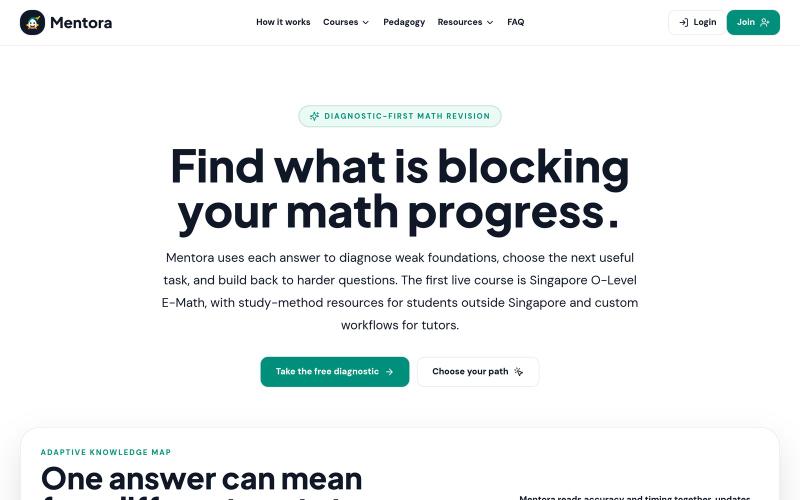
Mentora | A Smarter Path Through Revision
Personalized revision guide that adapts to your answers to identify what to review, repair, or prioritize.

@bellyencours · X
The full gallery
Tech stack
63 projects
Personalized revision guide that adapts to your answers to identify what to review, repair, or prioritize.
@bellyencours · X
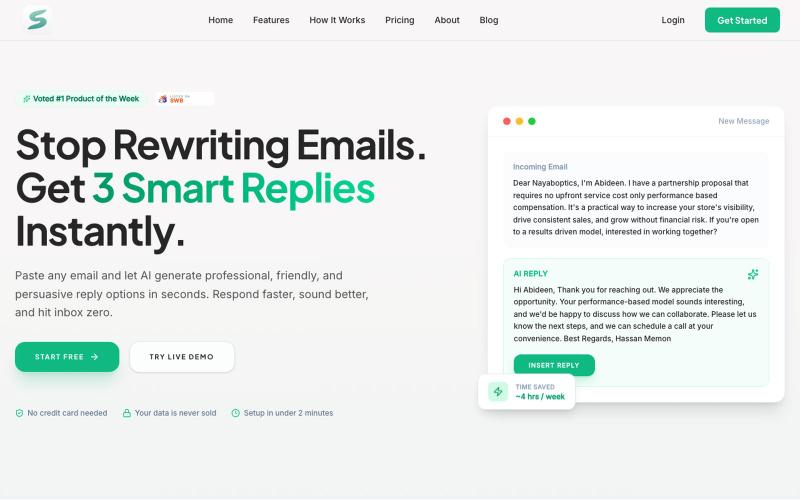
Generate personalized email replies in seconds using AI with custom tones.

@Hassan71030486 · X
Generate personalized AI-powered cold email replies in seconds. Perfect for founders, agencies, freelancers, and sales teams. ✨ Try 3 replies for free — no signup required. Would love your feedback! 👇 🚀 Sendox —

Design custom themes for Codex Desktop with backgrounds, colors, transparency, and visual effects.
plutozc · V2EX
做了个 Codex Desktop 主题预览和切换工具,先调好再安装 最近一直在用 Codex Desktop ,觉得默认界面看久了有点单调,就顺手做了个主题编辑工具,分享一下: [Codex Skin]( https://getcodexskin.com) 可以先在网页里预览主题,调整背景透明度、面板透明度、颜色、模糊和圆角等参数,满意之后再下载并切换到 Codex Desktop 。 目前支持: - 自定义 JPG 、PNG 、WebP 背景 - 在线实时预览主题效果 - 调整透明度、颜色、模糊、圆角 - 预览满意后生成安装命令 - 不喜欢了可以恢复默认外观 目前主要面向 macOS 上的 Codex Desktop ,还是个人项目,功能和兼容性都在继续打磨。 欢迎试试,也想听听大家对主题参数、预览效果和安装流程的反馈。 直接网址: https://getcodexskin.com [轻喷 轻喷,可能还有些 bug