

创意工具1 month ago
Online Bead Pattern Maker | Loomet
绘制或导入珠子图案,自动计数珠子并导出PDF。
letsgogogo · V2EX
做了一个串珠子的工具,支持拼豆。 我做了一个在线串珠图案工具 Loomet 。 可以画图案、自动算珠子数量、导出 PDF 。也支持拼豆模式。 https://loomet.app
完整作品展
技术栈
24 projects
绘制或导入珠子图案,自动计数珠子并导出PDF。
letsgogogo · V2EX
做了一个串珠子的工具,支持拼豆。 我做了一个在线串珠图案工具 Loomet 。 可以画图案、自动算珠子数量、导出 PDF 。也支持拼豆模式。 https://loomet.app
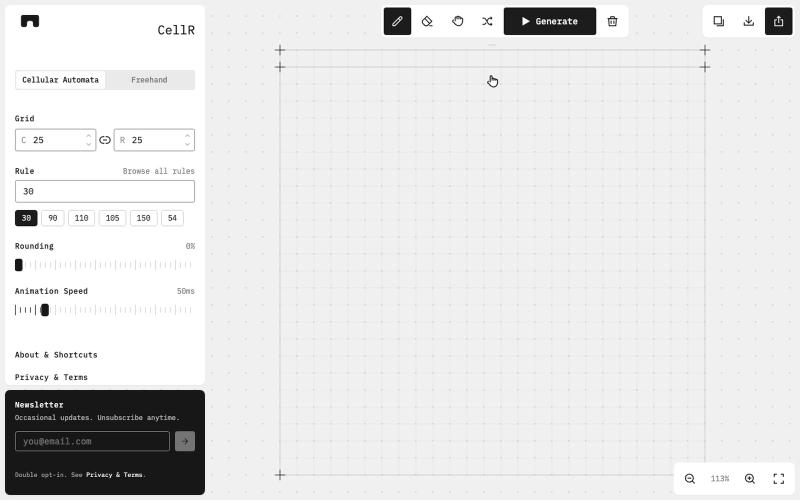
设计、动画化并导出元胞自动机图案

@majo_puterka · X
Nerdy, browser-based pattern generator on Wolfram's cellular automata. SVG export, freehand mode, free.
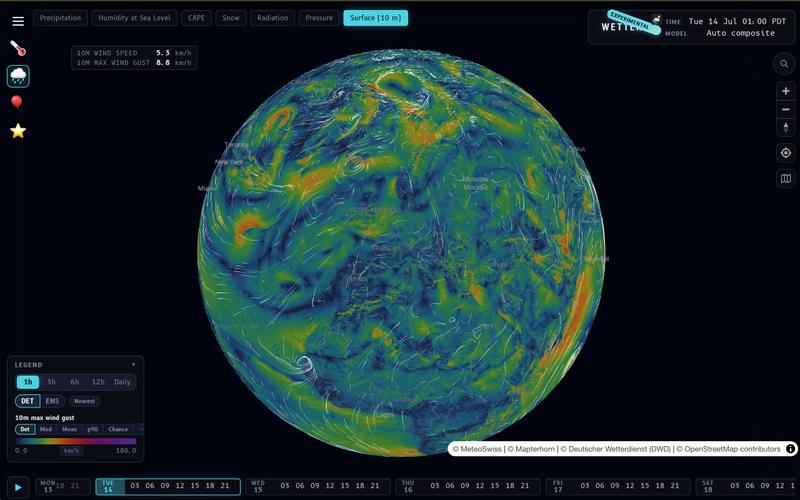
Wetter 支持本地计算和自定义聚合模式的天气预报和可视化应用。
__mp · HN
I built my own weather prediction / visualization app: https://wx.rsp.li (on-device temperature lapsing, on device interpolation modes, user-selectable aggregations, etc…). One of these days I should do a writeup. I also asked Claude to build a photo gallery for me https://places.pascalspoerri.ch (HDR, map support, similar images)

用 RAG 技术研究调查最新的诈骗骗局。
u/King_Kazma · Reddit
whatsthegrift.com - a RAG research tool for today's grifters every day i feel like there's a new grift attached with some news article, which naturally birthed the idea to built something to investigate & visualize them examples: https://whatsthegrift.com/q/777063a64e512565 https://whatsthegrift.com/q/e5945d20375ed3ff and my personal favorite so far: https://whatsthegrift.com/q/f43eb30a15342d53 react (vite) + node (fastify) + brave search (retrieval) + claude haiku (extraction)

创建和导出 Mermaid 图表,包括流程图、ERD 和序列图
ghosts_ · HN
I've been slowly adding some new free tools to Moxie Docs (partly for SEO, partly to illustrate some of our feature sets before any commitment) for some reason this mermaid editor one blew up on Google rankings so I figured I'd share in case people find it useful! We also have ADR, AGENTS.md, LLMs, and a few other free tools.

通过解数学或编程谜题来屏蔽干扰网站,戒除拖延
hackitup7 · HN
TLDR built a Chrome site blocker that lets you into distracting sites only after you do some math or simple coding (JS only right now). Direct link to extension (the site just gives you more context): https://chromewebstore.google.com/detail/sphinx-earn-your-di... Philosophically it's a speed bump rather than a hard gate, because you'll eventually tear a gate down but you'll leave a speed bump. I've always eventually removed site blockers, or just had them become a nuisance that I reflexively dismiss before getting to distracting sites. Site blockers don't really reduce the "start navigating to a distracting site" muscle memory, and they eventually just become annoying. Dopamine is a hell of a drug. At the same time, I've been getting frustrated that my intermediate/advanced math skills have atrophied, and becoming more senior in my career (plus AI...) has caused my coding skills to atrophy even further. Realistically I'm not going to force myself to do math or coding exercises aft

Knotulus:根据创始人行为分析与投资者进行智能匹配

@enoch_fyw · X
MBTI for founders, connect with Investors the fun way!

为Elixir和BEAM的AI代理提供追踪、调试和监控的原生可观测性平台。
caudena · HN
WeaveScope – Elixir native observability for AI agents

分析客户摩擦点,获取优化建议以提高转化率。

@EnricoBoeker · X
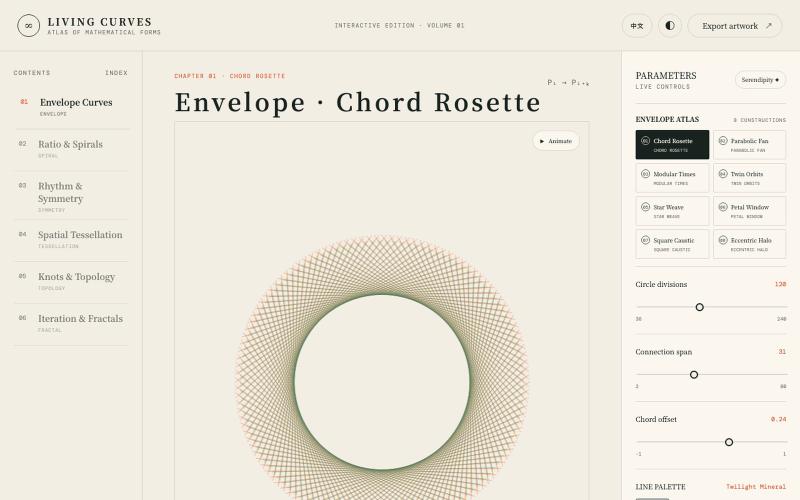
探索数学曲线、分形、对称和拓扑的交互式可视化。

@vkuoo · X
Added more demos showcasing graph-math relationships, built with Codex.
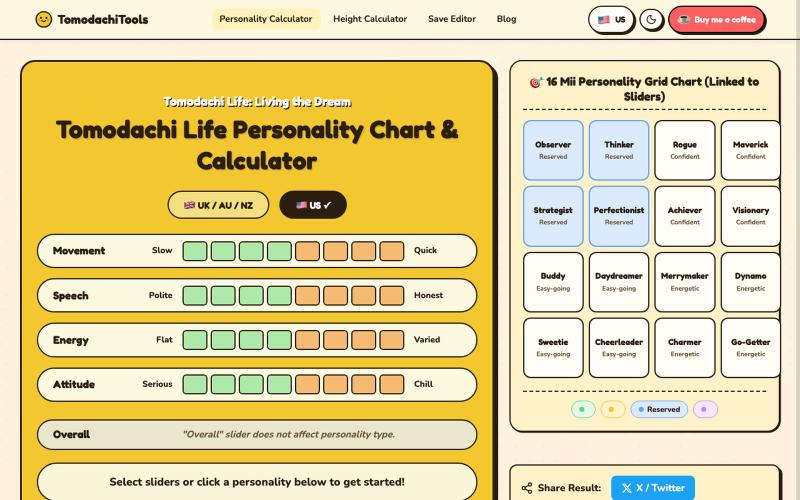
调整滑块为Tomodachi Life计算Mii角色性格。
langren · V2EX
[分享创造]Tomodachi Life Personality Chart & Calculator Tomodachi Life Personality Chart & Calculator:https://tomodachi-tools.com
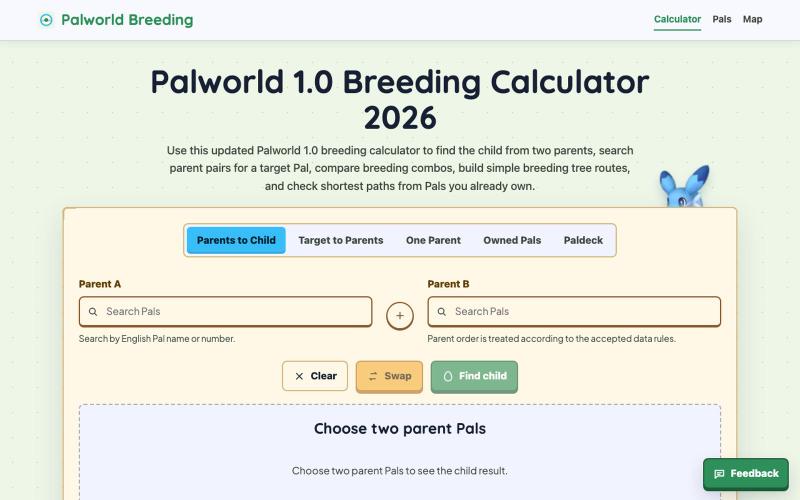
帮助Palworld玩家查询Pal配种组合和规划繁殖路线
Palworld Breeding Calculator — 帮助 Palworld 玩家查询 Pal 配种组合和规划繁殖路线