

创意工具1 week ago
Rawnd — Open, cull and develop RAW photos in your browser
在浏览器中直接编辑和筛选 RAW 照片,本地处理无需上传。

@am56ay · X
完整作品展
技术栈
5 projects
在浏览器中直接编辑和筛选 RAW 照片,本地处理无需上传。
@am56ay · X

用 AI 聊天和 100+ 工具在一处创建文本、图像、视频和音频。
Fullmira — 一站式 AI 创作平台,整合 GPT、Claude、Gemini 等多个模型,同一界面完成文本、图像、视频和音频生成,内置 100+ 专用工具覆盖写作、图像编辑与视频制作
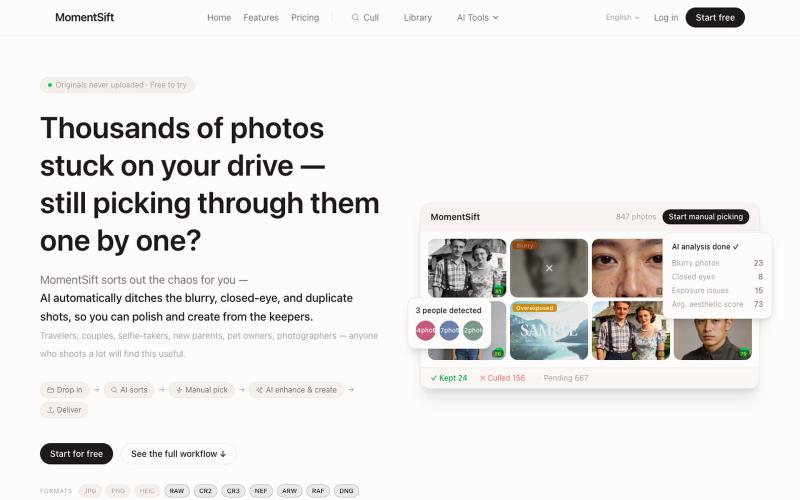
MomentSift: 用AI筛选、增强和生成照片。
ansheng_hu · Product Hunt
MomentSift Cull, enhance, and create better photos with AI

Turn your selfies into professional AI headshots, portraits, and creative photos. Custom AI model trained on your face — 100+ styles, studio-quality results in minutes.

@fastphotoio · X
is an AI-powered creative tool that helps businesses, marketers, and creators generate professional product photos and marketing visuals in seconds. It makes high-quality content creation faster, easier, and more affordable—without expensive photoshoots.
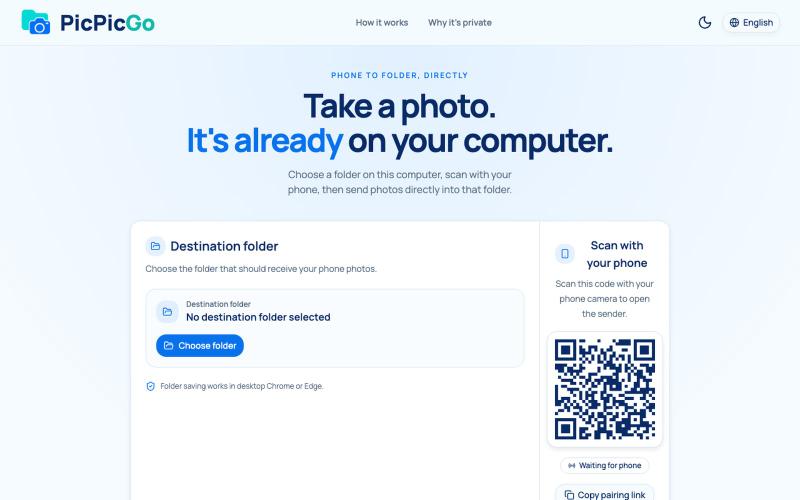
从手机直接将照片传送到电脑文件夹,无需账户或安装。
1010115121 · V2EX
做了个网站,将手机的照片实时同步到电脑指定的文件夹,不需要复杂的操作! 最近自己有个需求:需要把手机刚拍的一批图(十来张)快速传到电脑 试了一圈手机和电脑的同步方案,都有点麻烦,所以自己做了个工具站:PicPicGo https://picpicgo.com 使用很简单: 1 、电脑打开网页,选择一个文件夹 2 、手机扫码进行连接 3 、手机拍照或选择照片 4 、照片自动保存到电脑刚才选择的文件夹 不需要安装电脑软件,也不需要安装手机 App ,打开网页就能用 照片通过 WebRTC 在设备之间直接传输。 目前只支持同局域网的设备,刚发布,发出来看看有没有人也有类似需求,欢迎试用和提意见。