
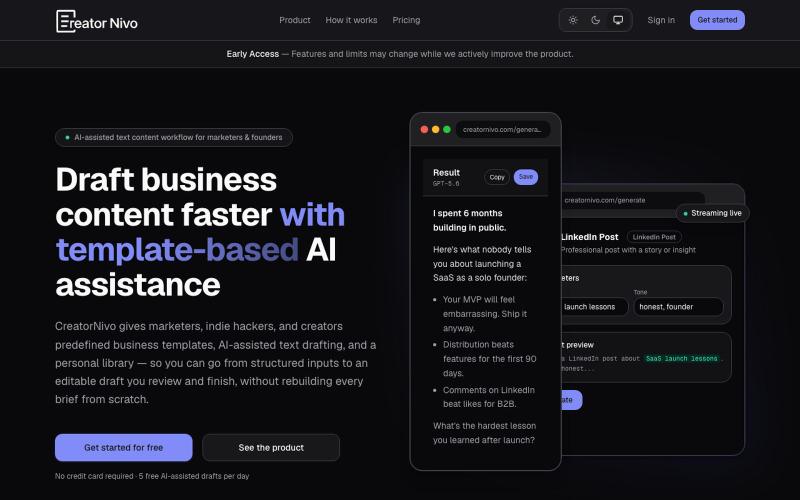
CreatorNivo | AI-assisted text content SaaS
CreatorNivo用AI从预设模板生成商业文本草稿。
@yuginevin · X
Free plan is available. Looking for honest feedback. 🙃
完整作品展
技术栈
60 projects

CreatorNivo用AI从预设模板生成商业文本草稿。
@yuginevin · X
Free plan is available. Looking for honest feedback. 🙃


使用模板和变量从CSV或API批量生成个性化设计。
@trebizant · X
Hi, I'm building : generating gift cards, invitations, basically any image using templates, variables by web or API

使用模板、电子签名和分析功能创建商业提案
@propelio_app · X
Hey man, Building Propelio, proposals for freelancers Let’s connect!

使用AI设计电子邮件模板,导出为HTML或React Email格式。
@aaryanpatel_06 · X
If you have an app and you have to design emails, then you also have

使用自定义模板和自己的域名,在几分钟内创建发布个人网站。
@Mike_Andreuzza · X
I am working on Website templates crafted with Astro JS and Tailwind CSS and now also with Sanity CMS variants. Privacy-friendly web analytics More than a link in bio page


Voidocs 为初创团队创建专业文档,无需代码配置。
@hannah24_app · X

8个免费在线工具,包括格式化、编码、密码生成和取色。
@Supportpintutec · X
Just launched QuickTools — 8 free online tools 🛠️ Word Counter • JSON Formatter • Password Generator • Color Picker 100% browser-based, no signup 🔗 #SideProject #WebDev #FreeTools #BuildInPublic

为 Codex Desktop 设计自定义主题,调整背景、颜色、透明度和视觉效果。
plutozc · V2EX
做了个 Codex Desktop 主题预览和切换工具,先调好再安装 最近一直在用 Codex Desktop ,觉得默认界面看久了有点单调,就顺手做了个主题编辑工具,分享一下: [Codex Skin]( https://getcodexskin.com) 可以先在网页里预览主题,调整背景透明度、面板透明度、颜色、模糊和圆角等参数,满意之后再下载并切换到 Codex Desktop 。 目前支持: - 自定义 JPG 、PNG 、WebP 背景 - 在线实时预览主题效果 - 调整透明度、颜色、模糊、圆角 - 预览满意后生成安装命令 - 不喜欢了可以恢复默认外观 目前主要面向 macOS 上的 Codex Desktop ,还是个人项目,功能和兼容性都在继续打磨。 欢迎试试,也想听听大家对主题参数、预览效果和安装流程的反馈。 直接网址: https://getcodexskin.com [轻喷 轻喷,可能还有些 bug

快速生成网站免责声明,支持8种类型,无需注册。
@XixuanW2588 · X
Building DisclaimerSnippets ⚖️ Helping founders and creators generate website disclaimers in seconds. Next: AI-powered compliance checker 👇

预览内容效果并获得反馈,优化后再发布。
@petropavliuk · X
Hi mate. My projects