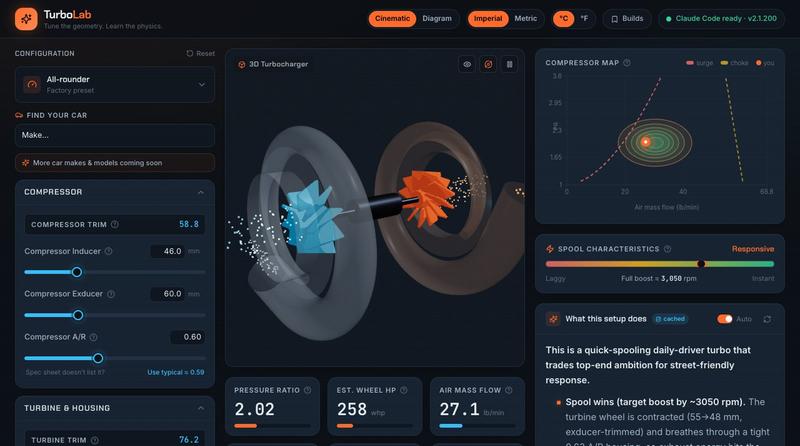
TurboLab — Turbocharger Learning Lab
调整 turbocharger geometry,实时观看 physics simulations。
@_m3rl1n · X
Got 2 of em for ya. And a fun little side project literally built by the prompt the above generated:
完整作品展
技术栈
20 projects

调整 turbocharger geometry,实时观看 physics simulations。
@_m3rl1n · X
Got 2 of em for ya. And a fun little side project literally built by the prompt the above generated:

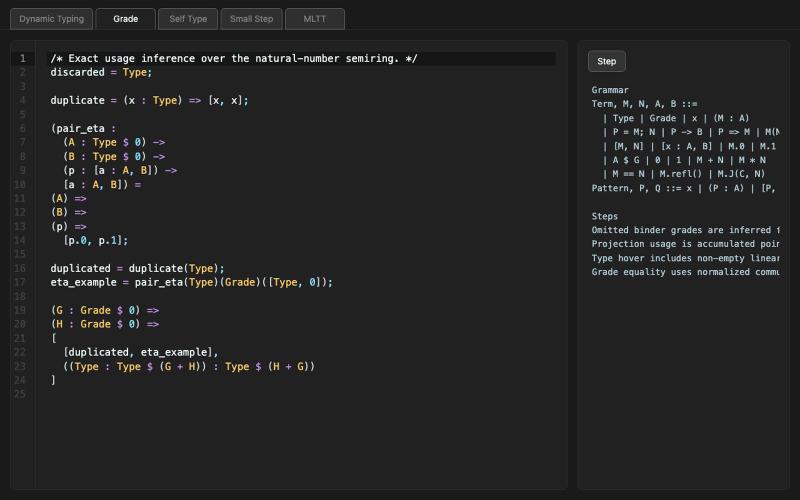
用于尝试评分机制的交互式演示工具。
@TheEduardoRFS · X
I vibe coded a demo for grading, not in a great shape but it's fun to play a bit.

在GPU模拟水物理的3D游戏中创造生物。
@rand_monsterlab · X
A monster walks into a GPU-simulated pond. Reactive SPH water in the browser with @threejs + WebGPU. Every movement sends ripples through Coming soon. Follow @rand_monsterlab: #ThreeJS #WebGPU #VibeCoding #IndieGame #Monster

通过解数学或编程谜题来屏蔽干扰网站,戒除拖延
hackitup7 · HN
TLDR built a Chrome site blocker that lets you into distracting sites only after you do some math or simple coding (JS only right now). Direct link to extension (the site just gives you more context): https://chromewebstore.google.com/detail/sphinx-earn-your-di... Philosophically it's a speed bump rather than a hard gate, because you'll eventually tear a gate down but you'll leave a speed bump. I've always eventually removed site blockers, or just had them become a nuisance that I reflexively dismiss before getting to distracting sites. Site blockers don't really reduce the "start navigating to a distracting site" muscle memory, and they eventually just become annoying. Dopamine is a hell of a drug. At the same time, I've been getting frustrated that my intermediate/advanced math skills have atrophied, and becoming more senior in my career (plus AI...) has caused my coding skills to atrophy even further. Realistically I'm not going to force myself to do math or coding exercises aft

BrainBubbles 将学校主题转化为儿童友好的故事和信息图表
@hazemnassr · X

AI批改作业、检测相似度的教师工具,支持学习成果评估。
@ProfDeskApp · X
Let's connect. Building giving teachers their night back.


基于币安数据的加密货币缠论分析与交易信号平台。
@onehopeA9 · X
用 DAPPOS @dappOS_com 做了一个加密货币缠论分析网站,也是我一直想做没时间做的! 来看看缠论三买的威力: 不是不会写代码。 我自己是程序员,真要硬写当然能写。 但问题是:没时间。🤡 做交易的人都懂,真正消耗人的不是“看一根 K 线”,而是把一堆信息拼起来: K 线结构。 缠论笔、中枢。 一买二买三买。 一卖二卖三卖。 资金费率。 持仓量变化。 成交量异动。 市场舆情。 这些模块涉及太多方面,写得出来,但太费时间。 所以我一直想做一个自己的交易雷达: 接币安历史数据。 用 TradingView 展示 K 线。 自动画缠论结构。 标注买卖点。 再把资金费率、持仓量、成交量和币安广场热度放进去。 想法很清楚。 但一直躺在 TODO 里。 最近用 xbubble 的 Coding 功能试了一下,直接把需求丢进去: “做一个加密货币缠论分析网站,接入币安一年历史数据,用 TradingView 展示 K 线,自动画笔、中枢、一买二买三买、一卖二卖三卖,增加异动分析和币安广场舆情热度。” 它真给我生成了一个能跑的原型。 这次最戳我的不是“AI 会写代码”。 而是 xBubble 把最消耗时间的工程杂活压短了。 以前我自己做: ❌ 搭项目结构 ❌ 爬数据源和图表库 ❌ 写 K 线处理 ❌ 写缠论结构识别 ❌ 做前端交互 ❌ 部署、改样式、修细节 一圈下来,核心想法还没验证,人先累了。 现在变成: ✅ 先描述业务目标 ✅ 让 xBubble 生成可运行原型 ✅ 我再校验规则、调整逻辑、优化体验 ✅ 把时间花在交易理解和产品迭代上 这对程序员其实很有价值。 因为程序员最缺的不是能力,而是时间和注意力。 我这个原型现在大概有几块: 第一,TradingView K 线主图。 用币安数据展示行情,再叠加缠论结构。 第二,笔和中枢。 把原本需要手动盯的结构,先自动画出来。 第三,买卖点雷达。 一买、二买、三买,一卖、二卖、三卖,先帮我筛可能的位置。 第四,异动面板。 资金费率、持仓量、成交量变化,和 K 线结构一起看。 第五,舆情热度。 把币安广场讨论热度也拉进来,看看市场情绪是不是和盘面互相印证。 你可以理解成: 我不是让 AI 替我交易。 我是让 AI 帮我做一个交易前的信息雷达。 我觉得 xBubble 和普通 AI

用 flashcards、测验和 AI 辅导学习编程技能,基于记忆科学。
@mkappworks · X
I am building lets connect

实时多人竞答游戏,配有AI主持人、30+游戏模式和考试备考包。
@deebee230730 · X

在这个基于浏览器的游戏中,调整 neural network weights 以适配数据曲线。
Gooblebrai