Graffiti Generator – Free Online Graffiti Font, Letters & Text Maker
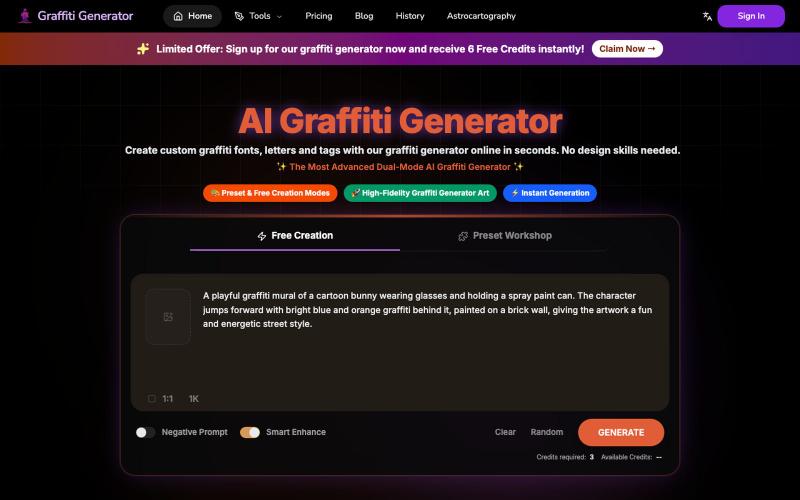
从任何文字快速生成专业涂鸦艺术和字体设计。
Graffiti Generator — 生成涂鸦艺术,旨在降低涂鸦创作的门槛。它结合了 AI 绘画生成与传统的字体设计功能,让用户无需任何绘画基础,也能在几秒钟内创造出专业级的涂鸦作品。
完整作品展
28 projects

从任何文字快速生成专业涂鸦艺术和字体设计。
Graffiti Generator — 生成涂鸦艺术,旨在降低涂鸦创作的门槛。它结合了 AI 绘画生成与传统的字体设计功能,让用户无需任何绘画基础,也能在几秒钟内创造出专业级的涂鸦作品。

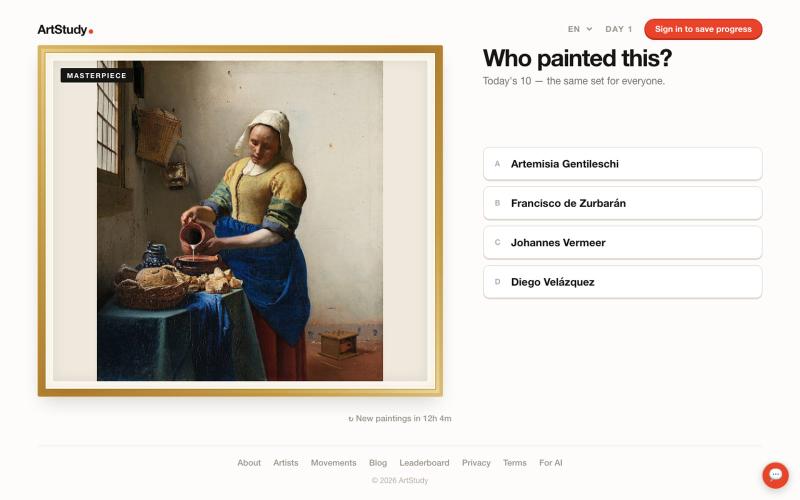
每日艺术问答游戏,猜测画家并保持连胜。
@stantokman · X
please destroy it

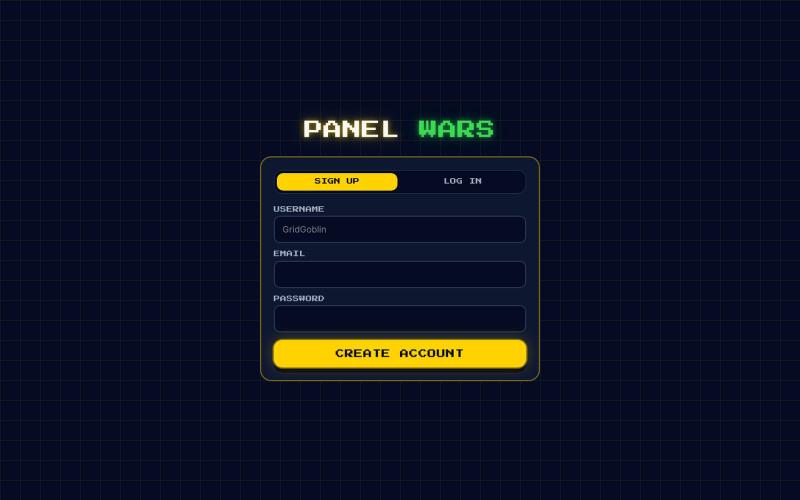
Panel Wars: 在像素世界中安装太阳能电池板、赚取能量并突袭对手。
@PanelWars · X
We are building a battle field. Come play. ⚡️⚡️

将 Markdown 转换为适合微信公众号、Word 和 PDF 的排版内容。
@bingobray · X
我做了一个类似的工具: 除了支持公众号,还支持word和pdf😁

Design and edit recipe cards online with a visual card editor.
bobblywobbles · HN
Not AI-generated. No sign in required. Free tool to use. My name is Zachary and I've built this app a few times now, in different seasons and with different frameworks. I originally created this tool to give a gift to someone, and now it's morphed into a product I hope people will find useful. There's thoughtful, human-curated features. As someone who loves to cook, it has a lot of features I know I will personally use, such as: - different sizes for printing [for different index cards] - allergen information - macros - easy way to scale up or down ingredients - can switch between metric and imperial measurements

使用HSB滑块调整来猜测卡通角色的准确颜色。
Toon Tone — 浏览器里的动画角色颜色猜测游戏,玩家使用 HSB 滑块还原目标颜色,每轮显示色相、饱和度、亮度偏差得分,支持手机微调、种子分享和排行榜

快速创建专业的LOGO动画。
@RenderEmpire_ · X
Building Render Empire 🚀 A web-based SaaS platform for creating professional logo animations in just a few clicks. ✨ Get your first animation free:

将图片转换为 Minecraft 像素画,可调整调色板和尺寸。
Minecraft Pixel Art Converter — 把图片转换为 Minecraft 方块像素画,支持调整尺寸、调色板并导出材料清单

为广告、社交和品牌营销创建 AI 网红和 UGC 风格的照片和视频
itsdevdaniel · HN
Poseberry: create AI influencers that pose with your products

从模板生成可定制的 Open Graph 图片,用于博客和社交媒体。
javayhux · V2EX
名称:Open Graph 图片生成器 网址:[https://og.mkdollar.com]( https://og.mkdollar.com) 功能:内置 10+ Open Graph 图片模板,选择模板,配置参数,即可生成好看的 OG 图片,适用于文章配图、社媒帖 子封面等场景 价格:免费使用,免费下载 

ChillArt是艺术家分享和发现人创艺术作品的社区平台。
u/Stock_Giraffe_748 · Reddit
I built ChillArt, a community focused on human-made art, looking for feedback I've been working on a side project called ChillArt: a community for artists to share human-made artwork, discover other creators, participate in discussions, and build personal galleries.I started it because I wanted a place that focused on artwork created by people rather than AI-generated content. The platform is still small, but artists have already started sharing their work and connecting with each other. So

为 Codex Desktop 设计自定义主题,支持背景、颜色、透明度和视觉效果。
plutozc · V2EX
做了个 Codex Desktop 主题预览和切换工具,先调好再安装 最近一直在用 Codex Desktop ,觉得默认界面看久了有点单调,就顺手做了个主题编辑工具,分享一下: [Codex Skin]( https://getcodexskin.com) 可以先在网页里预览主题,调整背景透明度、面板透明度、颜色、模糊和圆角等参数,满意之后再下载并切换到 Codex Desktop 。 目前支持: - 自定义 JPG 、PNG 、WebP 背景 - 在线实时预览主题效果 - 调整透明度、颜色、模糊、圆角 - 预览满意后生成安装命令 - 不喜欢了可以恢复默认外观 目前主要面向 macOS 上的 Codex Desktop ,还是个人项目,功能和兼容性都在继续打磨。 欢迎试试,也想听听大家对主题参数、预览效果和安装流程的反馈。 直接网址: https://getcodexskin.com [轻喷 轻喷,可能还有些 bug