

实用工具1 month ago · 1 次试用
Motolink Kenya | Auto Parts, Mechanics, Towing & Services
在肯尼亚查找并预订车辆服务、机械师、汽车配件和拖车。

@kipchilisk · X
Let's connect, check
完整作品展
技术栈
60 projects
在肯尼亚查找并预订车辆服务、机械师、汽车配件和拖车。
@kipchilisk · X
Let's connect, check

免费传送门竞速游戏:与幽灵竞速,击败AI对手,冲刺世界排行榜。

@mattezell · X
By far my favorite vibe coded game Claude and I have made to date. Initially a playable one shot using Opus 5 High using the Gauntlet Loop, then further revised via iterative sessions with Fable 5 High - all from my phone on my couch 😁
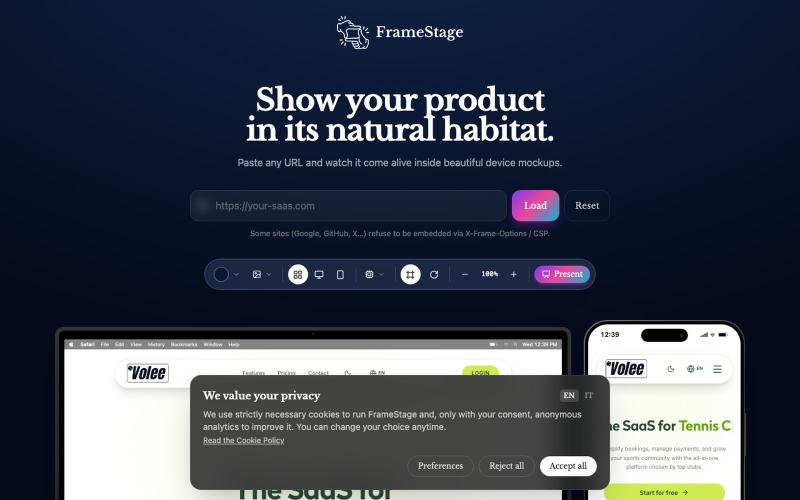
粘贴任何 URL 即可在设备模型(桌面、平板、手机)上预览项目。

@AndreaPericoli · X
I couldn’t find a simple tool that did exactly what I needed, so I built one in @Lovable Frame Stage lets you paste a URL and instantly preview your project on desktop, tablet, or mobile. No mockups. No setup. 🌐 #vibecoding #AI
![Trade[XYZ] — screenshot](https://onesvibe.app/img/screenshots/trade.jpg?w=800&h=500&q=75)
在Trade.xyz交易任意资产的永续合约,享受24/7深度流动性和专业交易工具。

@0xTalkingWeb3 · X
🎁 看直播,玩预测,赢周边 🎁 长鑫还在大 A 路演,HL 那边“股价”已经炒翻天! 是全球价格发现,还是没有股票的链上赌场? 你认可链上 Pre-IPO 给未上市公司提前定价吗? 近期,长鑫科技推进科创板 IPO,A 股发行价最终确定为 8.66 元。就在长鑫进行路演和申购期间, 已经通过 Hyperliquid 的 HIP-3 框架上线了 xyz:CXMT Pre-IPO 永续合约。 这个合约以 5 美元作为初始参考价,一度冲到 8.64 美元。看起来只是把 8.66 元换成了 8.64 美元,实际折算下来,链上价格已经接近 A 股发行价的 7 倍。 但需要注意,Hyperliquid 上交易的并不是长鑫股票。 持有 xyz:CXMT,没有 IPO 配售权、分红权或投票权,也不能在长鑫上市后兑换成真实 A 股。交易者只是在使用 USDC 和最高 5 倍杠杆,对“一股长鑫上市后值多少钱”进行做多或做空。 Hyperliquid 上的长鑫合约,是让全球资金提前参与中国硬科技定价? 还是在没有股票、没有交割的情况下,制造一场高杠杆价格游戏? SpaceX 没拿到股票,长鑫干脆不交股票。 这是链上 Pre-IPO 的产品进化? 还是“金融平权”叙事的一次退化? 本期 非小号K博士侃币 深度开聊: 《长鑫还在大 A 路演,HL 那边“股价”已经炒翻天!是价格发现还是链上赌场?你认可链上 Pre-IPO 给未上市公司提前定价吗?》 ⏰ 时间:2026年7月20日(周一)21:30 (UTC+8) 🎥 直播入口: 📡 同步直播平台:非小号 | X | 币安广场 | 火币Live | 热币Live | Gate Live | YouTube | TikTok | Telegram | pumpkin | sidekick | Debox 请锁定以上任一 TalkingWeb3/非小号 官方频道,或关注 TG 获取全部直播链接! 本期主持人: 👨🏫Ken博士 @ken_fxh - 非小号掌门人 👨🏫十三亿.Luffy @xiayi_web3 - luffy社区 👨🏫林野 @yu56413 常驻嘉宾: 👑 非小号 @fxh_crypto 👑 方宏进 @fang_herbert 👑 Dr

预览自定义轮圈和车身套件,生成照片包和视频。

@iaaaaan · X
Done. Theirs def looks vibe coded slop, mine doesn’t. End to end 4 days on and off for both iOS and web 😅 Pending App Store review
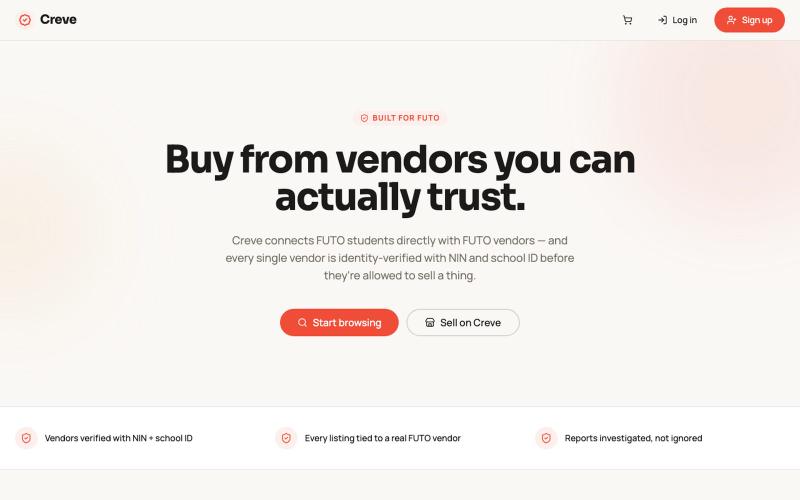
在 Hack4Futo 创意编码赛道中用 Poof 构建的交互式创意作品。

@Sonnisbethel · X
Hey guys, here’s my build for the @Hack4Futo vibe coding track 2026 using @poofnew as my build engine.
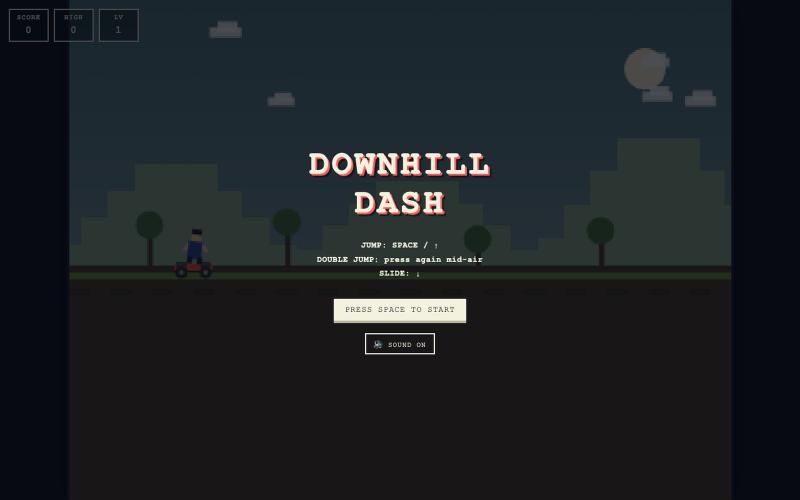
在浏览器中即时畅玩的免费像素艺术滑板无尽跑者游戏。

@kkori_choi · X
Built this little pixel-art endless runner while learning vibe coding. No installs. Just open and play. Can you beat 10,000 points? 👀

这是一款复古风格的炮兵对战游戏,通过投掷香蕉摧毁对手。
arrozconcosas · HN
Banana Battle – DOS Gorillas rebuilt as a web game


