Torvex
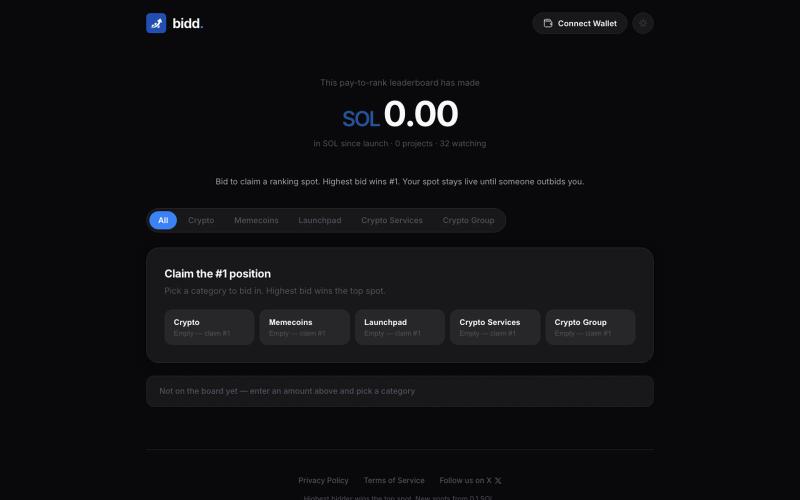
@suni_code https://t.co/OajI3lOKKW - Traffic Orchestration Platform
@KsaAZaks · X
- Traffic Orchestration Platform
完整作品展
技术栈
60 projects

@suni_code https://t.co/OajI3lOKKW - Traffic Orchestration Platform
@KsaAZaks · X
- Traffic Orchestration Platform

记录并优化手冲咖啡配方,包含冲煮指南、风味追踪和数据分析。
@nathantong416 · X
我做了一个为手冲咖啡爱好者设计的记录工具。 从配方整理、冲煮引导,到风味记录与复盘,帮助你找到真正适合自己的那杯咖啡: • AI 配方识别 • 60+ 冲煮方法 • 滤杯管理 • 冲煮记录与数据分析 欢迎尝试并提供意见~ #coffee #vibecoding #手冲咖啡

免费 React 组件库,包含 80+ 玻璃态设计,适用于 Next.js 和 Tailwind CSS。
@AdeebMirza83 · X
🚀 I just shipped IntelliHelper UI — my Liquid Glass React component library. Try it: GitHub: 80+ components. 5 gorgeous themes. CLI installs in seconds. Frosted chrome that stays quiet. Expressive content panels that pop. Built for Next.js + Tailwind, copy-paste ownership like shadcn, but with a stunning glass design system that feels premium. And yes — official plugins & MCP so Claude, Grok, Cursor & agents actually understand how to use it. Live previews, full source, open source (MIT). What do you think of the glass effect? 👇 Drop your feedback — building in public starts now! #React #NextJS #Tailwind #UI #OpenSource #WebDev #DesignSystem


用AI引导设计移动应用,导出生产级React组件。
@DolfySocial · X
Vibe coders design for one screen size, then panic when a tablet or a small phone breaks the layout. Dolfy's token spec scales spacing and type proportionally, so screens hold up at every breakpoint without a second design pass. #mobiledev #vibecoding


创建免费链接页面,自定义主题,追踪点击。
@code_bytein · X


为 Pathologic 3 设计的交互式计算器,涵盖诊断、代谢、交易、制作和时间旅行。
Pathologic Calculator — Stream 游戏 Pathologic 3 工具网站

探索 React 和 Next.js 组件库、区块和模板。
@Ksparth12 · X


在浏览器中编辑、压缩、转换和合并视频及音频文件。
zhw2590582 · V2EX
最近对网站进行了重构,做成了免费的视频工具站:[ArtPlayer Tools]( https://artplayer.org/tools/) 主要是围绕着 ffmpeg.wasm 和 mediabunny 实现的一些可以直接在浏览器里用的视频/音频工具,常用的有: - 视频压缩:[Compress Video]( https://artplayer.org/compress-video/) - 视频裁剪:[Crop Video]( https://artplayer.org/crop-video/) - 视频合并:[Merge Video]( https://artplayer.org/merge-video/) - 视频尺寸调整:[Resize Video]( https://artplayer.org/resize-video/) - 视频旋转:[Rotate Video]( https://artplayer.org/rotate-video/) - 视频调速:[Change Video Speed]( https://artplayer.org/change-video-speed/) - 添加文字到视频:[Add Text to Video]( https://artplayer.org/add-text-to-video/) - 添加水印:[Watermark Video]( https://artplayer.org/watermark-video/) - 提取字幕:[Subtitle Editor]( https://artplayer.org/subtitle-editor/) - HLS 转 MP4:[HLS to MP4]( https://artplayer.org/hls-to-mp4/) - 音频可视化:[Audio Visualizer]( https://artplayer.org/audio-visualizer/) 大部分工具都是本地处理,文件不会上传到服务器。最开始是因为自己偶尔要处理一些视频,开剪辑软件又有点重,在线工具又担心隐私,所以就慢慢做成了一个站。 目前还在持续完善,体验肯定还有不少粗糙的地方,比如不同浏览器的兼容、移动端操作、长视频性能之类的。 网站: [ArtPlayer Tools]( https: