TryLaunchLoop | You spent all day building your product. Did you forget to marke
将GitHub工作转化为X、LinkedIn和Facebook的营销帖子。
@JessePeplinski · X
👋 I’m building live on Twitch using Codex & Claude. Pop in any time. Let’s connect!
完整作品展
技术栈
60 projects

将GitHub工作转化为X、LinkedIn和Facebook的营销帖子。
@JessePeplinski · X
👋 I’m building live on Twitch using Codex & Claude. Pop in any time. Let’s connect!

在数秒内将PDF转为交互式翻页书,无水印,可嵌入网站或分享。
@ZenFlipbook · X
Hey! Really excited to share ZenFlip - it turns any PDF, Word, or PowerPoint file into an interactive flipbook you can embed on any website or share via link. Feature-packed and free to get started. Would love to hear your feedback

生成带模式标记的SEO优化作者资料框,提升内容可信度。
@SeHozaifa · X

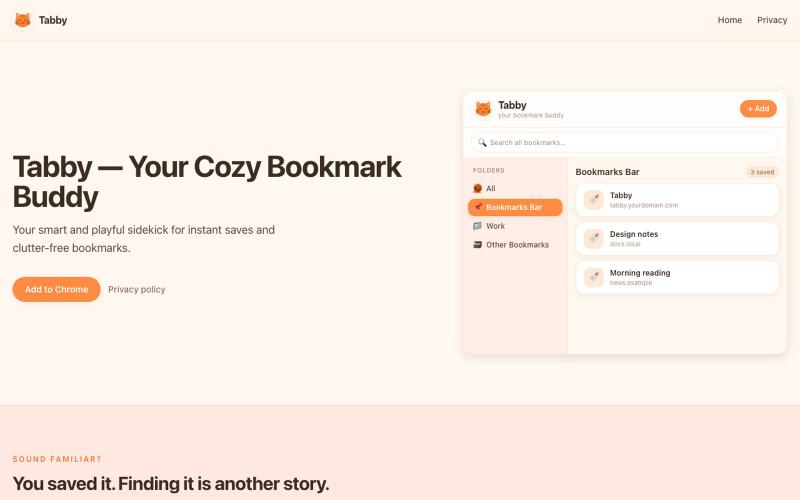
Arbor Nota — 跨浏览器书签管理器,支持团队文件夹共享。
@TimoPrescott · X
I'm working on my bookmark app, It will allow users to manage all of their bookmarks in a singular Universal location, and it will allow teams the ability to share bookmarks in an intuitive way. I didn't like the existing options, so now I'm here 😎

整理您的笔记和合集,提出问题,生成播客和学习材料。
mistakevin · HN
I've been working on https://notebooker.ai if anyone is interested in giving some feedback. I tried to post a Show HN yesterday with details about how I built it, but was auto-flagged and not sure what rules I broke. Everything that I've built on top of open-notebook, like the plugin system for your own "creators" (aka, podcasts, infographics, etc) is at https://github.com/Notebooker-ai plus a Cloudflare Worker AI deployer to play with different models. Been working on it for about six months.

在浏览器中免费合并、拆分、压缩 PDFs,完全私密无需上传。
@no_hitori69465 · X
*"I just launched PDFLabs! 🚀 A free PDF toolkit (merge, split, compress) that runs 100% in your browser. No servers, no uploads, 100% private. Built with vanilla JS and pdf-lib. Try it out and let me know what you think! [ #buildinpublic #100DaysOfCode


用Dshelf将PDF转化为宁静的阅读体验,配有精美图书馆和AI页面指导。
@dshelf_app · X

图片转 ASCII 字符画、复制符号、查看码表、进制转换——全在浏览器。
HeStudy · V2EX
做了个纯前端的 ASCII 工具站:图片转字符画、banner 生成、符号一键复制 平时偶尔需要查 ASCII 码表、复制一些特殊符号(箭头、制表符这类),每次都是搜一个满屏广告的老站凑合用,索性自己做了一个: https://getascii.com 目前有这些工具: 图片转 ASCII 字符画(拖一张图进去就行,支持调宽度/字符集/反色) 文字转 ASCII banner 大字 常用符号一键复制(箭头、制表符、数学符号、颜文字) 完整 ASCII 码表 + 一个交互式键盘映射图(点键盘上的键显示对应的 dec/hex 码) 进制转换器( hex/dec/bin ↔ ASCII ) 几个实现上的点: Astro 构建的纯静态站,所有工具都是纯客户端计算,图片不会上传到任何服务器 没有账号系统,没有付费墙,打开就用 整站是绿色荧光终端风( CRT 扫描线 + JetBrains Mono ),算是给终端审美交个作业 顺手给它做了个 25 秒的宣传片: https://www.youtube.com/watch?v=AjzU5mw1PrI

浏览精选 Midjourney sref 代码库,快速生成特定图像风格。
Midjourney Sref code 精选库 — 在 Midjourney 的 prompt 输入 `--sref xxx` ,可以固定生成某种特定风格的图片。这对很多人来说非常方便,不用写一堆效果词,只要记住几位数字就可以。但 `--sref xxx` 有大概 40 亿个,其中重复或者质量不佳的不在少数。因此做了一个网站把一些个人觉得不错的 sref code 收集起来并进行分类,方便新人或

为Claude Code和Codex设计的开源遥控器,支持iOS、Android和网页。
@Ex3NDR · X
Few days ago Happy had a birthday. Tried to refresh one of the most neglected part of it: our Happy Website: also i built a new harness called “rig”. i started to use at work recently instead of codex/claude code and i liked how it does work. i want to share this with everyone. it is a codex and cause code reimplemented using Pi, but keeping native prompts and expanded a little for uniformity (like added workflows to codex yay!). when something new released that is worthy of porting - i ask Sol to mim for prompts or read sources directly and i can have a feature within an hour. why this is needed? i was constantly blocked by the needing of integrating a lot of models together, which each has their own harness or many doesn’t have any, but i didn’t want to go too far from native and don’t like the idea of extensions - i want experience to be the same everywhere. i think configuration > extensions. more soon

ToolsLoop:自由职业者免费工具套件,包括发票、增值税、报价、费用追踪和商名生成。
@tools_loop · X