VantaUI - UI Library Built From Real Products
浏览 React 和 Next.js 的生产级 UI 模板和组件库。
@vanta_ui · X
UI Library built from real products
完整作品展
技术栈
60 projects

浏览 React 和 Next.js 的生产级 UI 模板和组件库。
@vanta_ui · X
UI Library built from real products


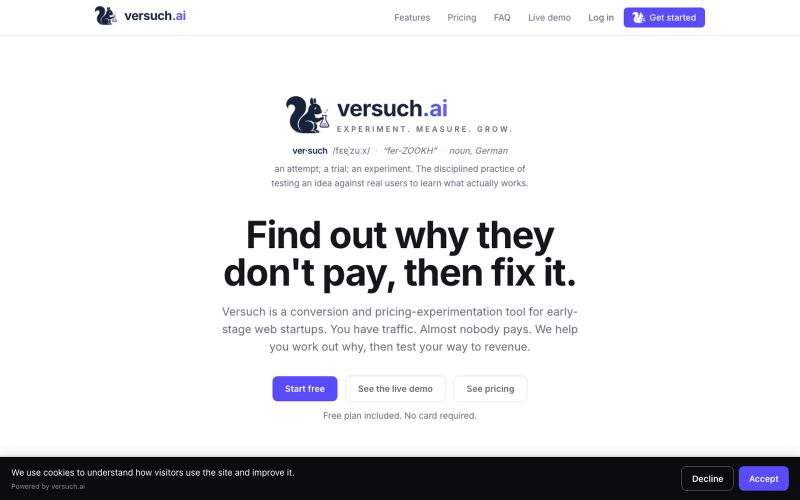
分析着陆页的转化问题,获取排序修复建议及预期提升效果
@JonBuildsHQ · X
My project is A tool for SaaS founders to spot landing page leaks. What are you working on?

用 Kitbase 跟踪事件、了解用户,快速发布产品。
@kitbasedev · X
We just launched, check us out at


提供60+个滚动驱动分区过渡效果的React库,用于现代网站。
@itz_sayan_03 · X
Ever wondered how cinematic scroll-driven websites are built? 👀 Meet SectionFlow—an open-source React library with 60+ ready-to-use section transitions, a one-command CLI, reusable sections, and optimized performance. 🚀

捕获UI元素及其代码上下文,与AI代理分享以调试视觉缺陷。
Loerei · HN
I found that describing where a broken UI is and taking screenshots for AI agents really sucks. I’m too lazy to explain an indescribable visual bug or capture a millisecond-long flash. I also don’t want to remember which file defines an element, whether it's right in the .tsx or a problem with the Parent Styles in .css. And even if you can point out the exact file, your agent still has to dig through thousands of lines of code to know what on earth you're yapping about. In a 7700-file monorepo like Cal.com, simply giving the right file in the prompt for your agent saves about 68.9% of execution time and 94.2% of the tokens your agent needs to digest. HoverSource gives all the needed information and further pushes it to -88.5% time and -94.5% tokens, basically skipping the entire digging session and jumping straight to reasoning and executing. The save is linear to how big your codebase is. I want to save tokens, but don’t want to spend my time and energy digging manually, and a junio


从 Google Drive 编辑和发布 HTML 文件。
debamitro · HN
I found that AI tools are generating excellent HTML documents nowadays, yet there's no easy way to show them to others. Yes, there's GitHub pages - but I don't know if it is user-friendly for non-technical people. This app allows you to keep your HTML file in your Google Drive and serve it from there. Feedback is most welcome.

ArtPlayer 免费浏览器视频和音频编辑工具,支持压缩、裁剪、合并和格式转换。
zhw2590582 · V2EX
最近对网站进行了重构,做成了免费的视频工具站:[ArtPlayer Tools]( https://artplayer.org/tools/) 主要是围绕着 ffmpeg.wasm 和 mediabunny 实现的一些可以直接在浏览器里用的视频/音频工具,常用的有: - 视频压缩:[Compress Video]( https://artplayer.org/compress-video/) - 视频裁剪:[Crop Video]( https://artplayer.org/crop-video/) - 视频合并:[Merge Video]( https://artplayer.org/merge-video/) - 视频尺寸调整:[Resize Video]( https://artplayer.org/resize-video/) - 视频旋转:[Rotate Video]( https://artplayer.org/rotate-video/) - 视频调速:[Change Video Speed]( https://artplayer.org/change-video-speed/) - 添加文字到视频:[Add Text to Video]( https://artplayer.org/add-text-to-video/) - 添加水印:[Watermark Video]( https://artplayer.org/watermark-video/) - 提取字幕:[Subtitle Editor]( https://artplayer.org/subtitle-editor/) - HLS 转 MP4:[HLS to MP4]( https://artplayer.org/hls-to-mp4/) - 音频可视化:[Audio Visualizer]( https://artplayer.org/audio-visualizer/) 大部分工具都是本地处理,文件不会上传到服务器。最开始是因为自己偶尔要处理一些视频,开剪辑软件又有点重,在线工具又担心隐私,所以就慢慢做成了一个站。 目前还在持续完善,体验肯定还有不少粗糙的地方,比如不同浏览器的兼容、移动端操作、长视频性能之类的。 网站: [ArtPlayer Tools]( https:

从任何网站即时提取代码、设计令牌、字体、颜色和媒体资源。
@bharatmodi2014 · X
Extract code, design tokens, fonts, colors, and media instantly. Save everything to the cloud, organize your library, and regenerate designs with your favorite AI.

Coohoo 是一个无需登录的视觉反馈小工具,可在测试网站上点击元素留言。
@vova_tsurkan · X
Built my first app with @shipstudio_app Now Coohoo is live on Product Hunt! 🚀