Slopcheck — Is your UI AI slop?
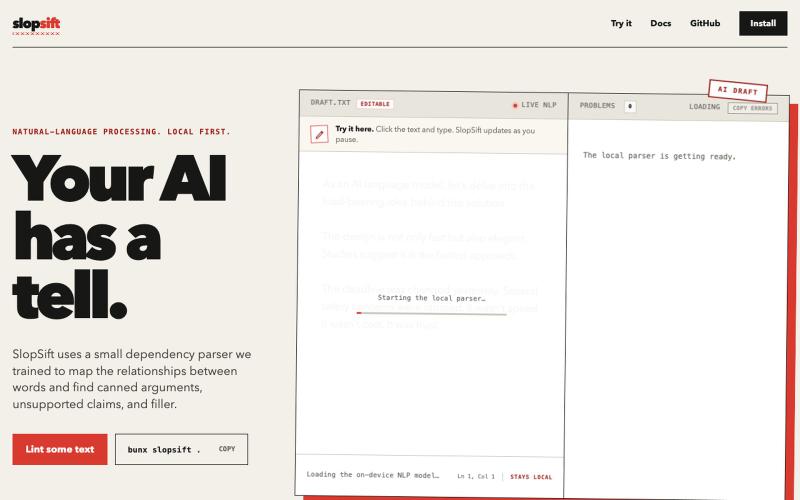
粘贴URL以评估网站UI是否看起来像AI生成内容,获取改进提示。
@Salta1414 · X
Whats your slop score?
完整作品展
技术栈
60 projects

粘贴URL以评估网站UI是否看起来像AI生成内容,获取改进提示。
@Salta1414 · X
Whats your slop score?

Voidocs 为初创团队创建专业文档,无需代码配置。
@hannah24_app · X

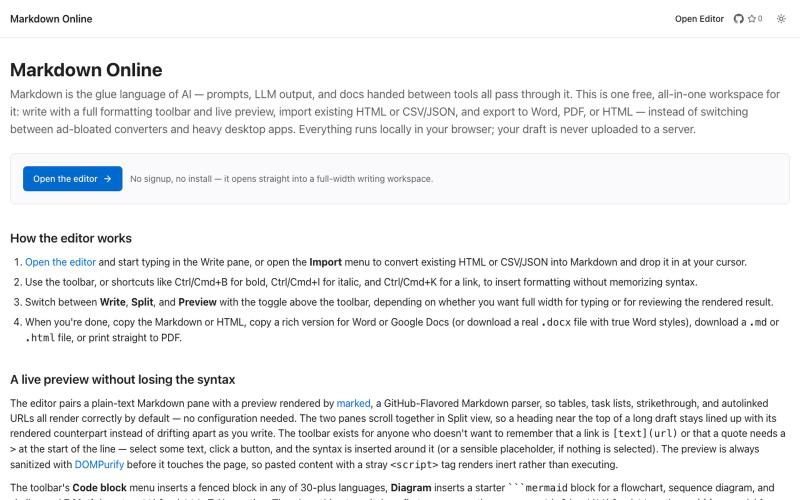
在浏览器中实时编写和预览Markdown文档,支持语法高亮。
@krishnakrmahto · X
Built Easy Markdown Editor — a reading-first Markdown editor where you edit the rendered document instead of raw Markdown.

粘贴歌词、标记段落,导出为 Suno AI 就绪的提示词。
@MistyMercerHar1 · X
Check out what I just built with Lovable!

浏览精选 Midjourney sref 代码库,快速生成特定图像风格。
Midjourney Sref code 精选库 — 在 Midjourney 的 prompt 输入 `--sref xxx` ,可以固定生成某种特定风格的图片。这对很多人来说非常方便,不用写一堆效果词,只要记住几位数字就可以。但 `--sref xxx` 有大概 40 亿个,其中重复或者质量不佳的不在少数。因此做了一个网站把一些个人觉得不错的 sref code 收集起来并进行分类,方便新人或

通过 API 或 URL 替换将 X posts 转换为干净的 Markdown,供 LLMs 和 agents 使用
@larsbuilds · X

图片转 ASCII 字符画、复制符号、查看码表、进制转换——全在浏览器。
HeStudy · V2EX
做了个纯前端的 ASCII 工具站:图片转字符画、banner 生成、符号一键复制 平时偶尔需要查 ASCII 码表、复制一些特殊符号(箭头、制表符这类),每次都是搜一个满屏广告的老站凑合用,索性自己做了一个: https://getascii.com 目前有这些工具: 图片转 ASCII 字符画(拖一张图进去就行,支持调宽度/字符集/反色) 文字转 ASCII banner 大字 常用符号一键复制(箭头、制表符、数学符号、颜文字) 完整 ASCII 码表 + 一个交互式键盘映射图(点键盘上的键显示对应的 dec/hex 码) 进制转换器( hex/dec/bin ↔ ASCII ) 几个实现上的点: Astro 构建的纯静态站,所有工具都是纯客户端计算,图片不会上传到任何服务器 没有账号系统,没有付费墙,打开就用 整站是绿色荧光终端风( CRT 扫描线 + JetBrains Mono ),算是给终端审美交个作业 顺手给它做了个 25 秒的宣传片: https://www.youtube.com/watch?v=AjzU5mw1PrI

连接 GitHub,自动将提交和部署转化为可分享的内容。
@plaqueboywest · X
I’m building Super Dent X. Connect GitHub once, and it remembers your build journey for you. Curious what you think: Would love your feedback !

在GitHub pull requests上自动生成代码文档。
Aldasams · HN
Show HN: DocFlow – AI documentation updates for GitHub pull requests

捕获UI元素及其代码上下文,与AI代理分享以调试视觉缺陷。
Loerei · HN
I found that describing where a broken UI is and taking screenshots for AI agents really sucks. I’m too lazy to explain an indescribable visual bug or capture a millisecond-long flash. I also don’t want to remember which file defines an element, whether it's right in the .tsx or a problem with the Parent Styles in .css. And even if you can point out the exact file, your agent still has to dig through thousands of lines of code to know what on earth you're yapping about. In a 7700-file monorepo like Cal.com, simply giving the right file in the prompt for your agent saves about 68.9% of execution time and 94.2% of the tokens your agent needs to digest. HoverSource gives all the needed information and further pushes it to -88.5% time and -94.5% tokens, basically skipping the entire digging session and jumping straight to reasoning and executing. The save is linear to how big your codebase is. I want to save tokens, but don’t want to spend my time and energy digging manually, and a junio

Drag-and-drop visual editor for Claude Code status line with terminal preview.
@refinistdev · X
Tired of hand-editing your Claude Code status line? I built a visual editor for ccstatusline 🎨 → drag & drop widgets → true-to-terminal preview, no Nerd Font needed → one command to apply Free & open source 👇 #ClaudeCode #ccstatusline

将 HTML 和 Markdown 转换成可分享的链接和二维码。
@gomixo · X
和团队做了一个非常实用的小工具:HTMLShare。 现在用 AI 生成网页、报告、可视化作品越来越方便,但生成后的 HTML 文件,想分享给别人却很麻烦:要么发文件,要么部署网站,要么截图。 HTMLShare 解决的就是这个问题: 👉 欢迎体验,也欢迎反馈建议。