ToolsLoop — Free Business Tools for Freelancers Worldwide
ToolsLoop:自由职业者免费工具套件,包括发票、增值税、报价、费用追踪和商名生成。
@tools_loop · X
完整作品展
技术栈
60 projects

ToolsLoop:自由职业者免费工具套件,包括发票、增值税、报价、费用追踪和商名生成。
@tools_loop · X

用Pyor原生应用审查GitHub的PR,无需打开github.com。
othmanosx · HN
I still don't like the fact that AI is adding more stuff for us to read, it's accelerating the code production but slowing down the code review. I built my own code reviewer as well ( https://pyor.review/ ), surfacing the important stuff first is the right track, but adding more stuff to read is daunting, but asking AI to just point you to what you need to focus on and skim the noise is what I'm leaning more towards.

免费的原生 macOS 屏幕录像机,内置编辑器和自动缩放。
@screenkite_com · X

RightPDFKit是免费PDF编辑器,有51个工具,无需账户,支持离线。
@zubidavies · X

在浏览器中批量处理图片,支持工具链、本地AI和格式转换。
BulkPicTools — 免费浏览器端图片批量处理工具,支持**工具链串联**(压缩→转格式→裁剪一次完成,无需重复上传),本地 AI 去背景/人脸模糊(WebGPU,无需 API Key),支持 200+ 张图片批量处理,文件不上传服务器。

110多个免费开发工具无需上传、服务器或注册,在浏览器中完全运行。
@abhilakshharora · X
Just launched DevTab on Product Hunt 🚀 110+ dev tools that run 100% in your browser. Zero server calls. No signup. Free forever. Would love your support 🙏 → #buildinpublic #DevTools

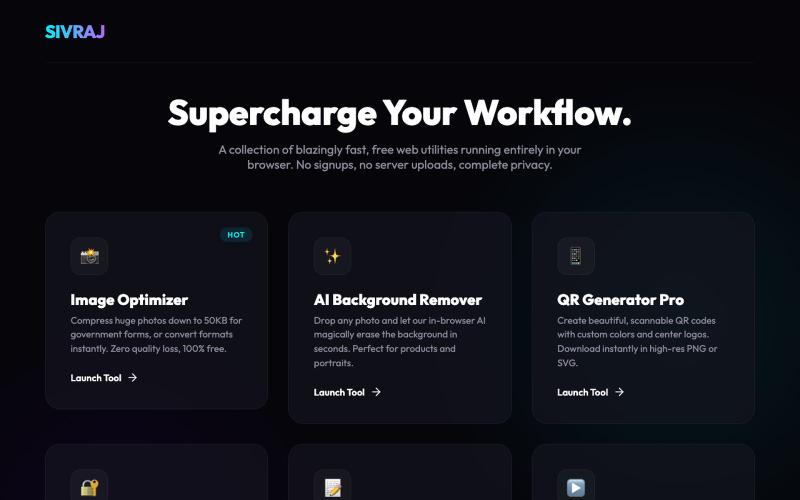
在浏览器中免费转换、压缩和编辑文件,文件不上传服务器。
@faisalhaleem · X
Just launched — free browser-based file tools runs entirely in your browser. Video to GIF (with trim slider) Merge / Split / Shrink PDF Your files NEVER leave your device. No sign-up needed. Free forever. #buildinpublic #webdev #indiedev #tools #privacy

在线格式化和验证 JSON,无需上传数据
@VeganVegan75738 · X
做了一个免费的 JSON 格式化工具。 支持: ✅ JSON 格式化 ✅ JSON 校验 ✅ 在线使用 ✅ 无需安装,数据不上传 开发者日常调试 JSON 可以直接用: #开发者 #前端开发 #工具

智能代理驱动的翻译管理平台,快速交付多语言应用。
@sacsandc4 · X

Komodo 为IT和MSP团队提供实时基础设施地图,整合任务、健康检查、文档和警报。
@JNRVInnovations · X

创建流程图、程序图、组织架构和UML图的免费在线工具。
@N0V4Dev · X
I found a tool called Next AI that links AI capabilities directly with diagrams. It lets you build and edit diagrams using natural language prompts instead of clicking around the canvas manually. It's a handy way to sketch out architecture when you don't want to drag every box yourself. The project is built on TypeScript with React 19 and Next.js. It supports multiple AI providers and even includes an MCP Server. This means you can use it with the Claude Code CLI to generate diagrams from your terminal. Deployment options are flexible too. You can run the tool locally with Docker or push it to Vercel and Cloudflare Workers. It supports multi provider setups so you can pick the backend that fits your workflow. #Nextjs #AI #Diagrams #TypeScript

免费在线PDF工具,支持合并、拆分、转换和编辑,文件不离开您的设备。
u/Key_Caramel_5578 · Reddit
Built a free PDF toolkit solo (with AI help) — need feedback on the in-browser text editor before I keep pushing on it Been heads-down on this for a while: thepdftool.in Standard PDF stuff : merge, split, compress, convert, OCR — but most of the conversion tools run entirely client-side (WASM), so files never leave your browser for those. Built solo, leaned on AI tools for a good chunk of the code and debugging. The feature I care most about right now is an inline text editor :— click i