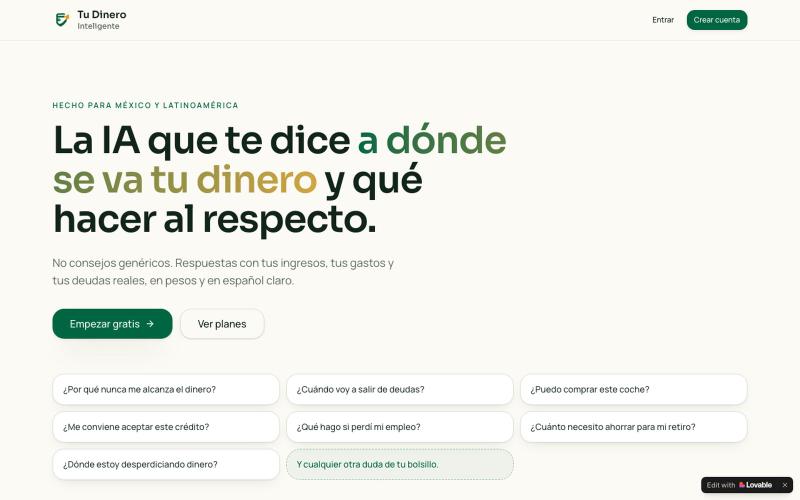
aiPatri · Veo tu patrimonio entero — y sé en qué año serás libre
aiPatri 一张照片分析你的全部资产,用蒙特卡洛模型模拟退休时间。
@aiPatri_app · X
完整作品展
技术栈
60 projects

aiPatri 一张照片分析你的全部资产,用蒙特卡洛模型模拟退休时间。
@aiPatri_app · X

查询实时加密货币价格、大户活动、DeFi TVL 和质押收益数据。
matrixnk · Product Hunt
ChainPulse Agentic mediator for Crypto Intel

EnchèrePro 拍卖行仪表板,管理拍卖、产品和客户。
@mouhame36681985 · X
Check out what I just built with Lovable!

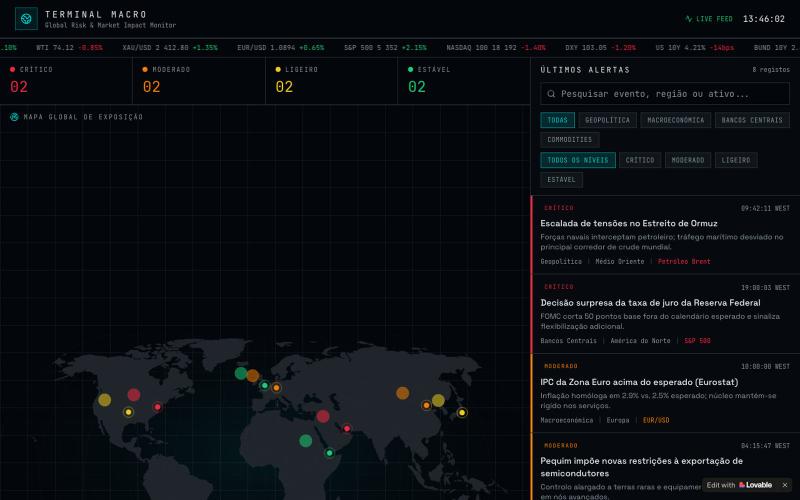
通过实时财务指标监控全球资金流向和市场情绪。
@Evelyn_tree1 · X
I built a dashboard that just shows me where global money is flowing. Free public data, rebuilds itself twice a day. Every indicator answers exactly one question. Is money loose or tight? Flowing where? Buying what? Risk-on or risk-off? Crowded? If it doesn’t answer one of these, it doesn’t get a slot on the board. Reading got the same treatment: a hard cap of 45 min/day → 5 RSS feeds + 5 newsletters, each rate-limited (Damodaran: about one post a month). I’d rather miss a few things than let the feed become an anxiety machine. I don’t write code. Claude Code wrote every script — fetch, build, publish, twice a day on cron. I set the rules and keep the judgment; the machine does the running. Personal research notes, not investment advice.

在一个地方连接笔记、人脉和财务的统一工具。
u/Wrong_Election189 · Reddit
I built one memory for notes, people and money because none of my apps knew the full story Solo dev here. I built CleverNote because my information kept getting split across three places: notes for what happened, contacts for who was involved, and a finance app for how much it cost. None of them knew the full story. The concrete example I keep using is a plumber receipt. I snap the receipt and CleverNote keeps the original note, identifies the plumber as a person/service, records the amount


CIRA PRO AI — 为摇摆交易者设计的加密货币分析工具,包含AI评分、机会雷达和实时警报。
@luiz_santo78412 · X
Check out what I just built with Lovable!

美股交易信号平台,分析市场数据识别交易机会。
@MEJ50749 · X
用 @dappOS_com coding 做了一个美股信号网站: 它和普通美股行情网站最大的区别是:普通网站更多是“给你看行情”,而这个网站更像一个“辅助交易工作台”。 大多数美股网站会把价格、涨跌幅、新闻、财报、K 线分散展示出来,信息很多,但用户还要自己判断: 哪只股票值得看? 现在是什么信号? 这个信号强不强? 有没有触发提醒? 后续要不要复盘? 我这个站的核心思路不是堆信息,而是把交易前的观察流程做成工具: 1. 市场总览不是单纯看涨跌 首页会把美股标的放进观察池里,比如 AAPL、NVDA、MSFT、GOOGL、AMZN、META、TSLA 等,不只是显示价格,还会结合涨跌幅、成交量、市值、PE/PB、行业、52 周区间等信息,让我先快速判断哪些票值得继续看。 2. 最重要的是信号扫描器 这个功能是普通行情站很少直接做成工作流的地方。 网站里有“智能信号扫描器”,可以扫描技术形态,并把信号归类成突破、反转、动量、超卖、超买、金叉、死叉、背离等类型。 比如: NVDA 出现强势突破、量能放大、均线多头排列; AAPL 出现 MACD 金叉、RSI 超卖反弹、布林带下轨支撑; MSFT 出现 MACD 背离,需要注意短期回调; TSLA 出现均线死叉,提示中期下行压力。 这就不是简单告诉我“今天涨了多少”,而是帮我回答一个更交易化的问题: 这只股票现在为什么值得关注,关注点在哪里? 3. 个股详情页更像交易前检查清单 普通网站的个股页往往是行情 + 新闻 + 财务数据。 我这个站的个股详情页更偏“交易前判断”:价格、评级、52 周区间、K 线/成交量、基本面、技术信号、资讯都放在一起。 它的价值是把“发现信号”之后的下一步接住。 扫描器告诉我哪只票有异动,详情页帮我进一步看这个信号有没有质量。 4. 提醒中心是我最喜欢的功能 这个站不是看完就结束,而是有 Alerts Center。 里面可以看到全部提醒、已触发提醒、等待中提醒,还能新建价格/信号提醒。 比如: NVDA 突破 900 美元触发提醒; AAPL 出现 MACD 金叉提醒; TSLA 等待成交量异常触发; META 跌破支撑提醒止损风险; AMZN 突破近期高点提醒动能增强。 这和普通美股网站最大的差异就在这里: 它不只是信息展示,而是把“观察 →
实时追踪Bitcoin供应量数据
@_nikzzy07 · X
i've built my first app, its a BTC supply tracker i hope you guys like it!!

在Stocker追踪印度股市实时价格、图表和市场分析。
@SammedChougule · X
✨ What's New in Stocker? Just shipped a major update to Stocker. This release is all about one thing: Cleaner UI. Faster insights. Better investing experience. Here's what's new 👇 #Buildinpublic #FinTech #Stocker #Softwareengineer #StockMarket

使用 FacturaOS 在一个平台管理服务业务的发票、客户、报价、工作、路线、供应商和收款。
@joelromanpr · X
para todos los microempresarios en el Caribe y latinoamerica. Also available in English

查看实时PENGU代币价格、持有者和交易所数据。
@AaronTeng · X
A month ago I had ideas for and but no dev team So I just started vibe coding Prayer times, petrol prices, ringgit tracker, flood alerts, cuti planner, a live PENGU dashboard with labeled whale wallets All shipped solo with AI Last week I thought of a cuti planner feature at 2am. By 7am it was live with support for all 16 states and calendar export. That used to take a sprint cycle minimum I spent years managing product teams and writing PRDs. Now I write prompts and ship before breakfast Vibe coding will not replace real engineering for complex infra. But for a solo founder who wants to validate fast and ship tools people actually use? Nothing else comes close right now 🚀